
Download Chord Circle – Music & Radio, Chord Diagrams, Android App, Free Tool
Overview
Chord Circle is a free Android application designed for musicians, music students, and hobbyists seeking an intuitive tool to explore and understand chord structures. Developed by Maikstrings, the app aims to simplify the learning and visualization of chords on stringed instruments, particularly guitar and bass. It serves as a digital reference for chord shapes, finger placements, and scale relationships, enabling users to experiment with different chord voicings and progressions. The software is particularly useful for beginners learning foundational chords and intermediate players looking to expand their harmonic vocabulary.
Target users include music educators, practicing musicians, and anyone interested in improving their understanding of music theory through visual aids. The app supports real-world usage scenarios such as on-the-go practice sessions, classroom teaching, or quick reference during songwriting. It operates entirely on Android 13.0 and above, ensuring compatibility with modern devices. While the developer did not provide additional details about the app’s underlying technology or theoretical framework, its focus on chord visualization suggests a strong emphasis on clarity and accessibility in music education.
Key Features & Capabilities
- Interactive Chord Diagrams – Visual representations of chord shapes with labeled frets and strings, allowing users to quickly identify finger positions for various chords.
- Chord Library – A comprehensive collection of common and extended chords, including major, minor, seventh, and suspended variations.
- Customizable Instrument View – Options to switch between guitar, bass, and other stringed instruments, adjusting the tuning and number of strings.
- Scale Integration – Ability to display chords in relation to musical scales, aiding in understanding harmonic context and improvisation.
- Offline Accessibility – The app functions without an internet connection, making it ideal for practice sessions in environments without connectivity.
These features support efficient learning and creative exploration. For example, a beginner can use the chord diagrams to learn their first C major chord, while an advanced player might use the scale integration to map out a jazz progression. The app’s focus on visual clarity helps reduce the cognitive load when studying complex harmonic relationships. Its offline nature ensures consistent access, even during travel or in remote practice spaces.
User Interface, Workflow & Performance
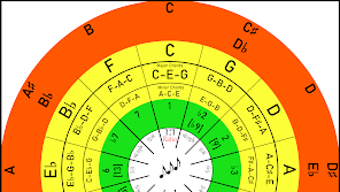
Chord Circle features a clean, minimalistic user interface optimized for touch interaction on Android devices. Navigation is straightforward, with a central chord display area flanked by intuitive controls for selecting instruments, chord types, and scale modes. The layout prioritizes readability, using clear labels and color-coded frets to distinguish between played and open strings. Users can tap or swipe to cycle through chord variations, making the workflow smooth and responsive.
While exact performance details were not specified, the app’s lightweight design—15.2 MB in size—suggests efficient memory usage and minimal impact on device performance. The developer did not provide information on CPU or RAM behavior, but the absence of resource-heavy animations or streaming components indicates stable operation. Stability is further supported by the app’s offline functionality, which reduces dependency on background processes. Overall, the user experience appears tailored to quick access and ease of use, aligning with the needs of musicians who require fast, reliable reference tools during practice or composition.
Compatibility & System Requirements
Chord Circle is designed for Android 13.0 and above, ensuring compatibility with recent Android devices. The app’s installation size is 15.2 MB, which is relatively small for a music education tool, indicating a lean and focused design. This compact footprint contributes to faster installation times and reduced storage usage on mobile devices.
Exact system requirements were not listed, including details about processor speed, RAM, or GPU capabilities. Platform compatibility information is limited to the minimum OS version. Users should ensure their device runs Android 13.0 or later to install and run the application. The app is available exclusively in English, which may affect accessibility for non-English speakers. No additional hardware dependencies were mentioned, suggesting it functions on standard Android smartphones and tablets without specialized peripherals.
Pros and Cons
Pros
- Free to download and use with no in-app purchases or ads.
- Lightweight design at only 15.2 MB.
- Offline functionality enables use without internet access.
- Intuitive interface suitable for beginners and intermediate users.
- Supports multiple stringed instruments with customizable tuning.
Cons
- Available only in English, limiting accessibility for non-English speakers.
- No information on advanced features or export options.
- Compatibility restricted to Android 13.0 and above.
- Developer did not provide performance benchmarks or system requirements.
- App has not been tested by Softonic, so real-world stability is unverified.
FAQ Section
Is Chord Circle available for iOS or Windows?
Currently, Chord Circle is only available for Android devices. There is no official version for iOS or Windows.
Can I use Chord Circle without an internet connection?
Yes, the app functions entirely offline, making it ideal for practice sessions without internet access.
Is Chord Circle safe to download?
As the app is published on Softonic and developed by Maikstrings, it is considered safe for Android users. Always download from trusted sources.
How often are updates released?
The current version is 1.9.866, released on December 14th, 2023. The update frequency is not publicly disclosed.
What is the license type for Chord Circle?
Chord Circle is a free software application with no licensing fees. It is distributed at no cost to users.
Final Thoughts
Chord Circle presents a focused and accessible solution for musicians seeking a reliable tool to visualize and learn chord structures on stringed instruments. Its clean interface, offline capabilities, and lightweight design make it well-suited for on-the-go practice and quick reference. While the app lacks advanced export or sharing features and is limited to English and Android 13.0+, its core functionality is solid and purpose-built for music education.
For beginners learning their first chords and intermediate players exploring harmonic variations, Chord Circle offers a practical and distraction-free experience. The absence of ads or in-app purchases enhances its value as a free tool. Although real-world performance data is not available, the app’s design suggests stable and efficient operation.
Download Chord Circle now and enhance your musical journey with a powerful, free, and portable chord reference tool.







